


- Social: Your brand and its connected accounts.
- Memory: What VidGuy knows about your business. See Memory.
Create your brand
If you don’t have a brand yet, click Create your first Brand. Fill in:- Brand name: Required.
- What does this brand make or do? Required. One or two plain sentences.
- Industry: Required.
- Website: VidGuy reads it in the background and fills in your positioning for you.
- Who buys (ICP): Optional.
- Marketing strategy: Your voice, content pillars, how often you post and your goals.
- Logo and an optional Demo video of your product.
Each account has one main brand. That’s the brand your social accounts connect to.
Your brand card
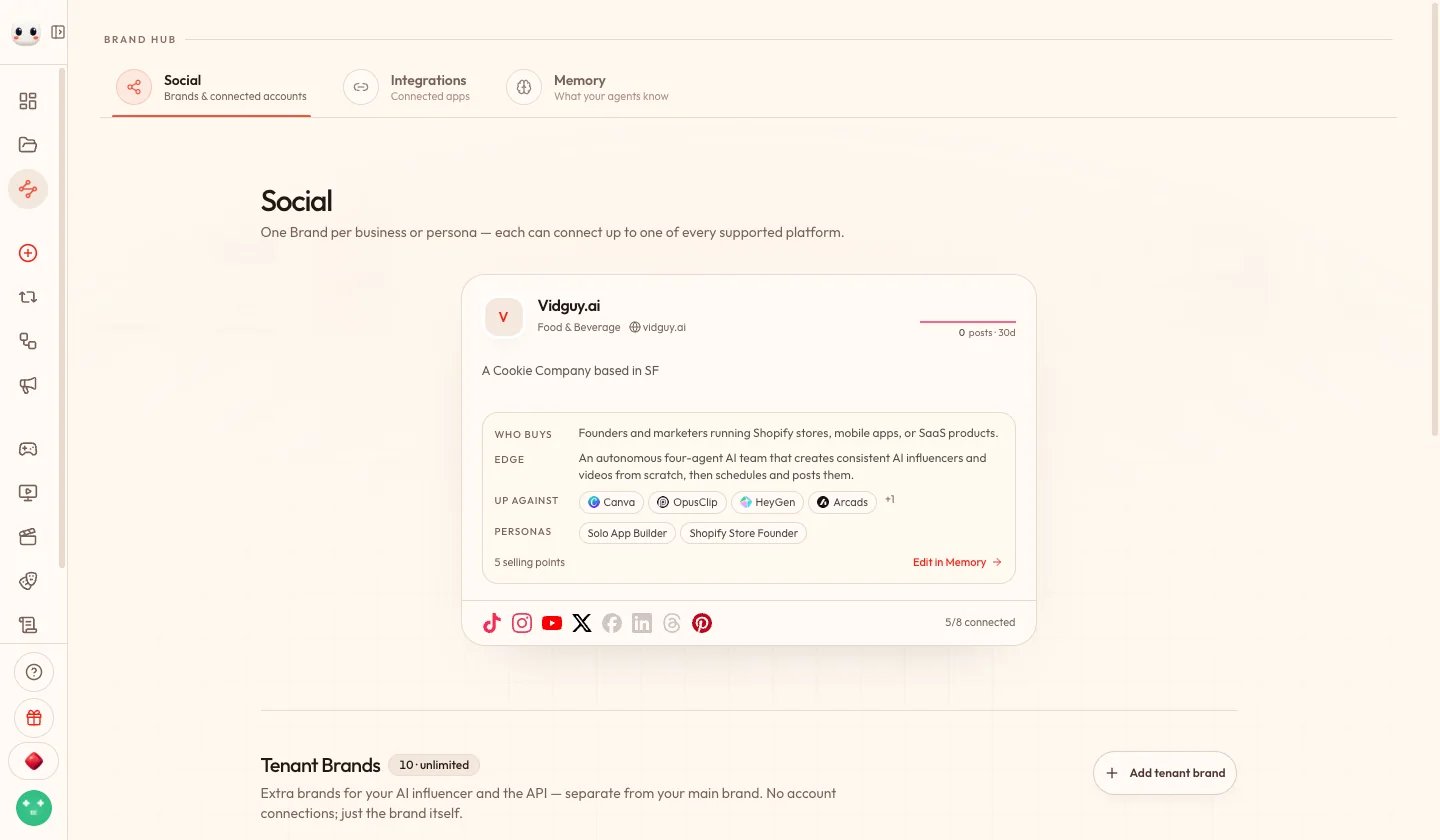
Your brand card on the Social tab, with connected accounts along the bottom.
- Your logo, industry and website.
- Posts in the last 30 days.
- Your positioning: Who buys, Edge, Up against and Personas. Click Edit in Memory to change them.
- How many of the 8 platforms you’ve connected.
Inside your brand
Click your brand to open it. Its tabs:- Overview: Performance numbers like posts published, views, likes, comments, shares and engagement, plus your connected accounts and upcoming posts.
- Connections: Connect and manage your social accounts. See Social accounts.
- Calendar: Every scheduled and published post by month, week or day.
- Queue: Posts waiting to go out, published and failed.
- Analytics: How your posts perform.