

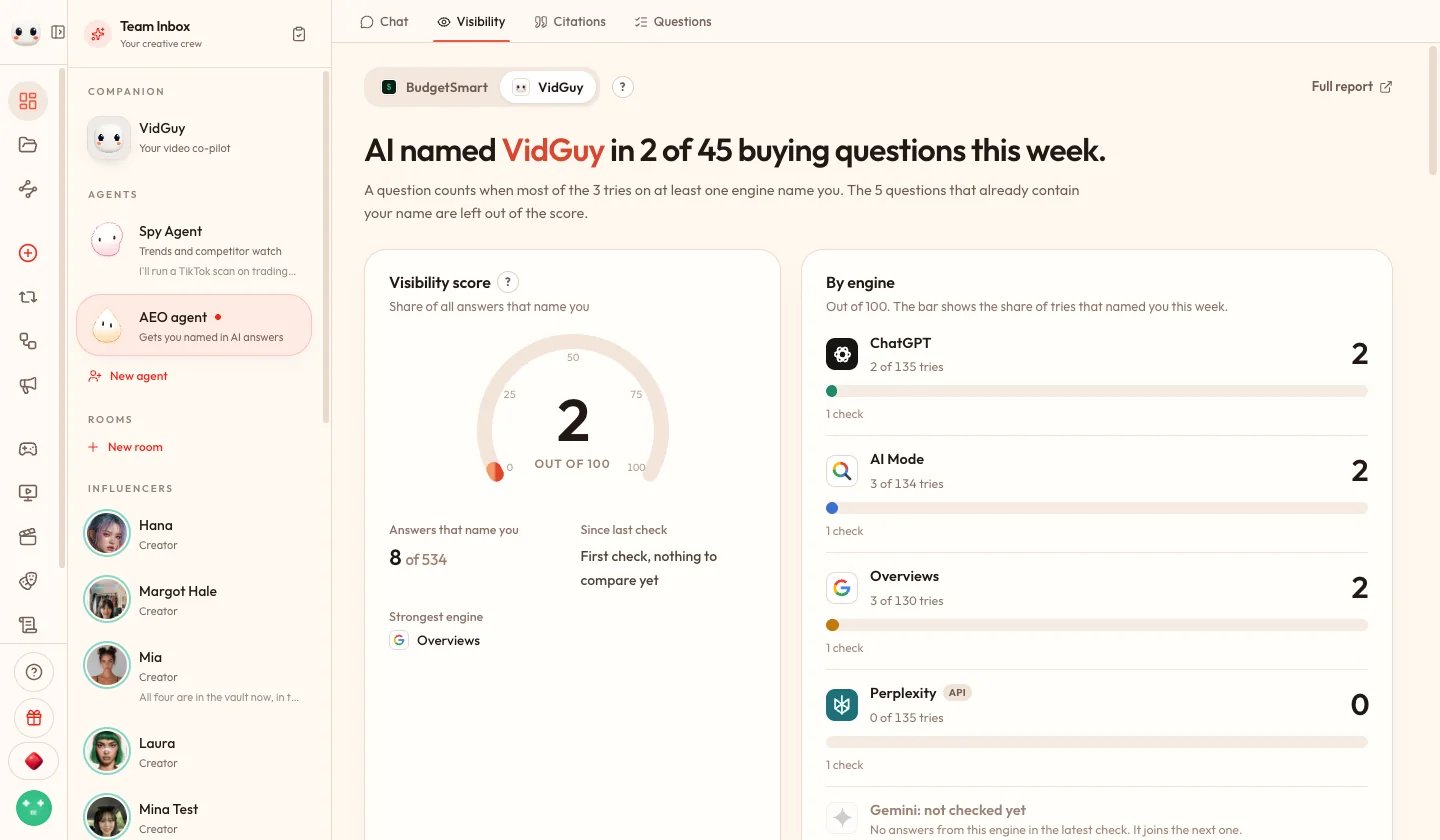
The Visibility tab: how many buying questions name you, and your score on each AI engine.
Add the agent
1
Create it
Open your Dashboard. Under Agents, click New agent, pick AEO agent, and answer Which buyers should AI send your way? Click Create teammate.
2
Tell it your brand
In Chat, give it your website and the main competitors you lose deals to. It also reads what you saved in Memory.
3
Pick your questions
Ask “Which questions should we track?” The agent suggests buying questions in your buyers’ words. Pick the ones that matter.
Which AI it checks
Every question goes to ChatGPT, Google AI Mode, AI Overviews, Gemini and Perplexity, logged out, the way a new visitor sees them.- New questions get about 10 tries per engine first, so later changes can be told apart from noise.
- Then once a week, or three times when the answers keep changing.
- A report lands in chat every Monday with your count against last week and the one next step worth taking.
The workspace tabs
The agent has four tabs: Chat, Visibility, Citations and Questions. Click Full report for the AI visibility page, which adds Opportunities and Site health.Visibility
The top line says it plainly, like “AI named you in 3 of 40 buying questions this week.”- Visibility score: the share of all answers, on every engine, that name you. Questions that already contain your name are left out.
- By engine: the same score for each AI.
- Who AI names: every brand named on your questions, how often, and your rank.
- Every question, every engine: one cell per question and engine, like “named in 2 of 3 tries”. A #2 is your best position among the brands named.
- What changed: what moved since last week, and which rival took the spot.
Citations
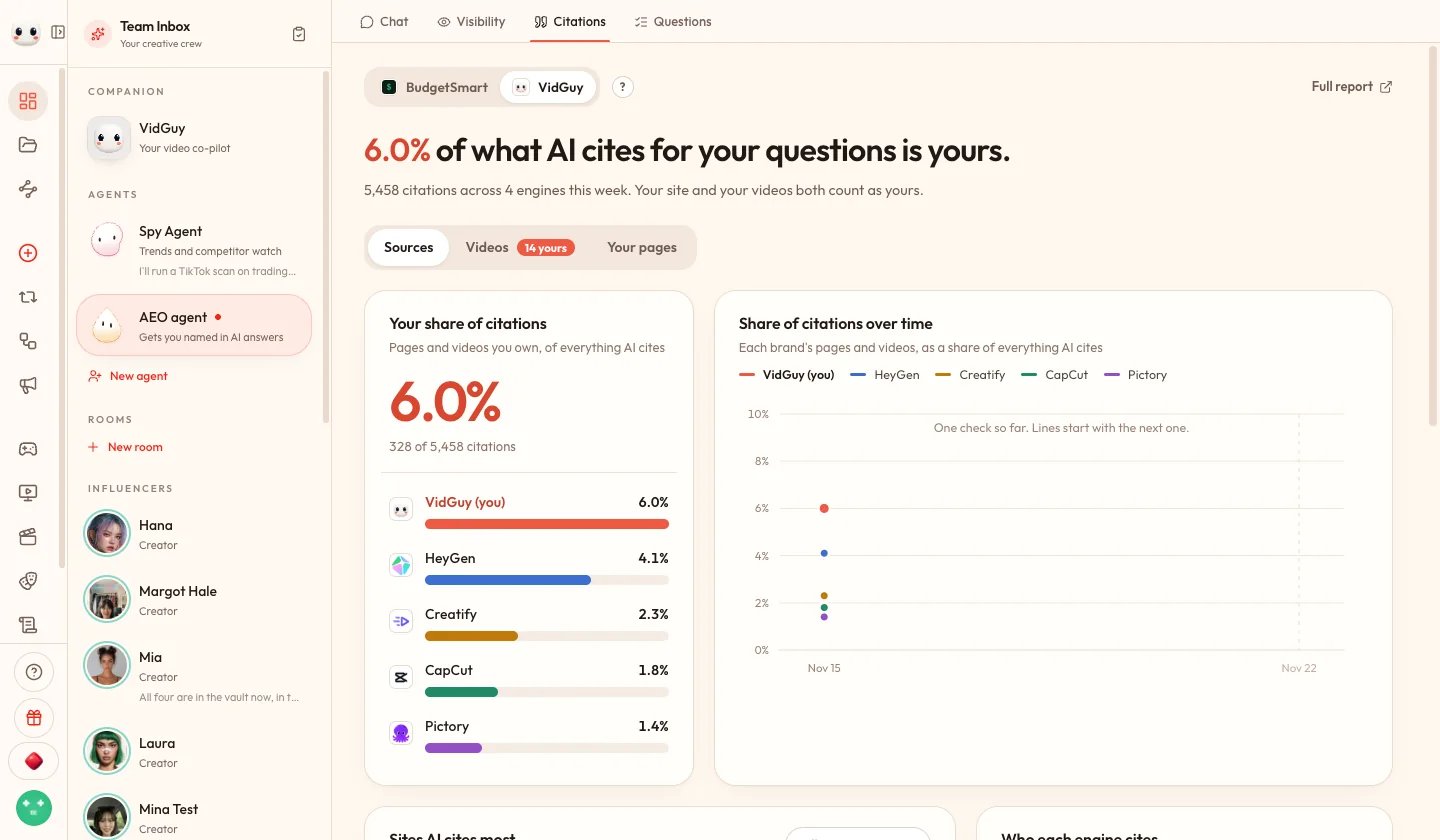
The Citations tab: your share of what AI cites, next to the brands you compete with.
Questions
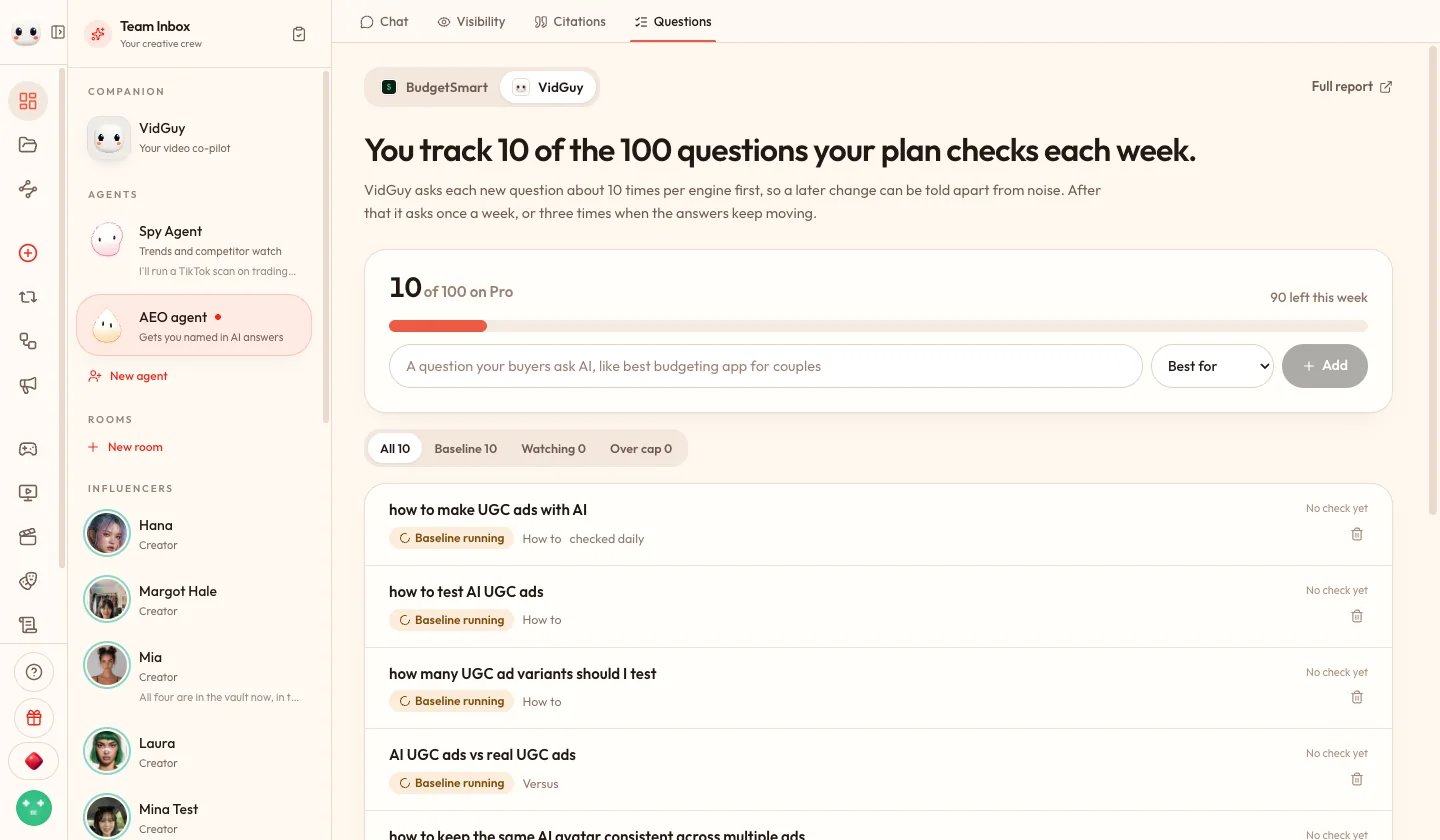
The Questions tab: the buyer questions VidGuy checks for you each week.
Turn a gap into content
Opportunities lists the questions where AI leaves you out, best first. Each one comes with a fix: Video, New page, Refresh a page, Off site or Technical fix. When AI cites YouTube on a question you miss, a video that answers it is usually the fastest fix. Click Make it on a video fix, or Make this video in Citations. A new VidGuy chat opens with the question and rivals filled in. VidGuy plans the YouTube video, shows you one total credit cost, and waits for your OK. Nothing is posted until you say so.Make it works for video fixes today. Page, off site and technical fixes you make yourself for now.
Did the fix work?
When your video or page goes live, tell the agent. It checks those questions daily for 14 days and compares them with the 4 weeks before. Until then the answer is “too early to tell”.Plans
On a first look, the per-engine results, citations, opportunities and site health stay locked until you move to Pro.
Tracking uses no credits. You only spend credits when you make content, like the video from Make it.
Good to know
- AI answers change from try to try. VidGuy asks more than once and shows counts. Judge trends over weeks, not one day.
- Perplexity is asked through its API, which can differ a little from its app.
- Questions with your name in them are tracked but kept out of your score. AI names a brand you asked about.