

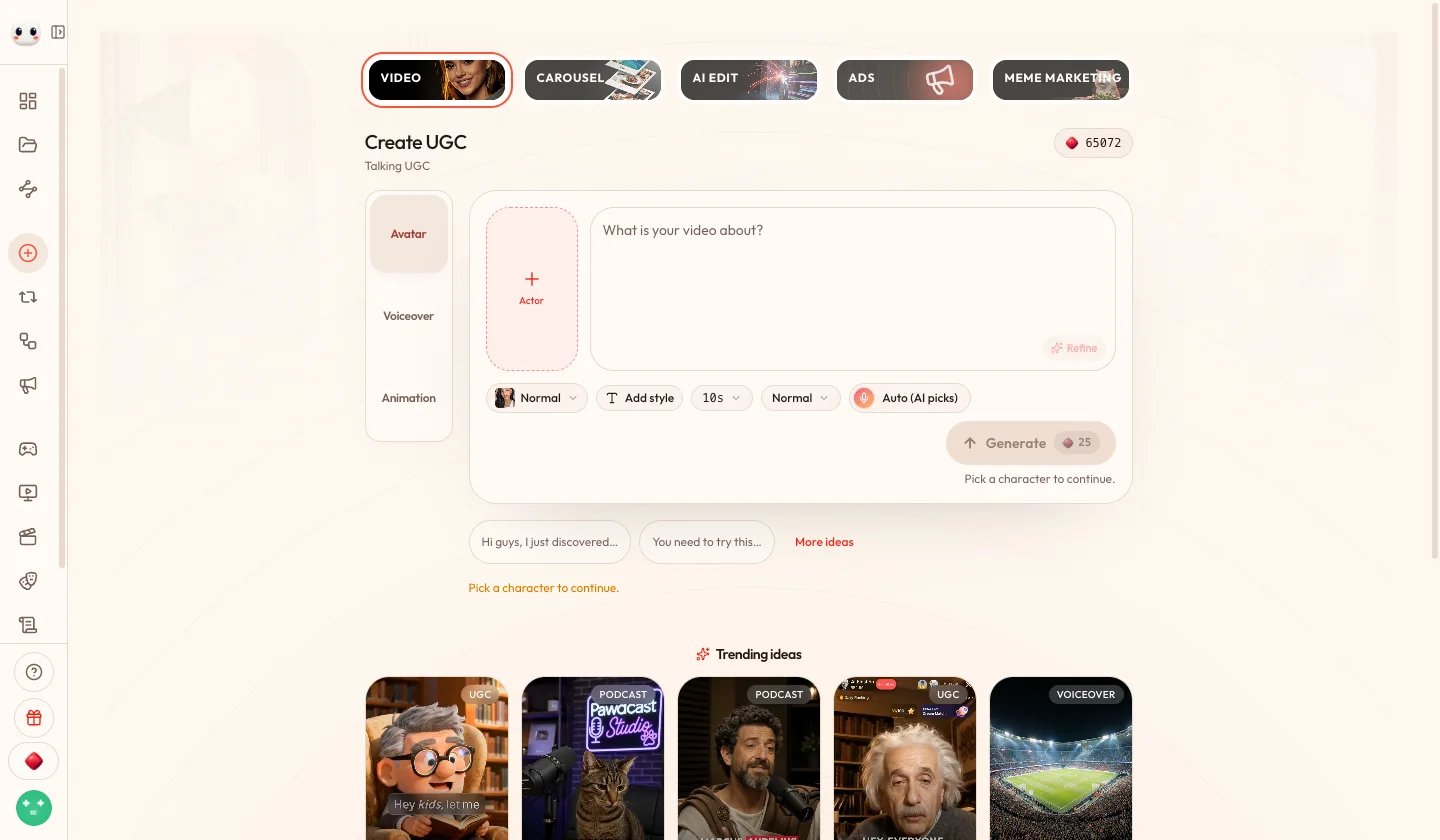
Quick Create: format cards across the top, each with its own modes.
Pick a format
Quick Create has four cards: Video, Carousel, AI Edit and Meme Marketing. Each one has its own modes on the left.Video
In Avatar, the format picker has Normal, Product, BrainRot, plus B-roll and Demo templates. Demo lets you upload a clip of your product to cut in. Click Refine to let VidGuy tighten your script.
Carousel
- TikTok Carousel: Photo carousels with your copy set as real text. Pick a layout (or Auto), choose how many to make (1, 3, 5, 10 or 20), and say what they should be about.
- AI Slides: A 5 slide portrait deck. Describe the slides and add a reference image if you like.
AI Edit
These modes work on footage you upload.- Magic Edit: Restyles your video scene by scene in a new look. Clips up to 1 minute.
- Lipsync: Changes what someone says on camera. Describe the new lines, or translate them, then clone the voice, change it, or upload your own audio.
- AI Edit: Cuts your video and adds captions, with optional automatic B-roll. Files up to 2 GB.
Meme Marketing
Short memes for your brand. Type the joke or the moment, pick how many you want (1 to 5), and generate.- Meme Edit: Rewrites a familiar clip with a fresh joke.
- Greenscreen: Pairs a reaction clip with a scene built around your idea.
- Comic: Turns your setup and punchline into a comic strip.
Make it
- Pick a card, then a mode.
- Type in the box and set the options.
- Check the credit price next to the generate button.
- Press generate.
Credits
The price shows before you run, and your balance sits in the header. Some examples:- TikTok Carousel: 1 credit per carousel.
- AI Slides: 24 credits per deck.
- Animation: 50 credits for 5 scenes, 80 credits for 9 scenes.
- Magic Edit: 30 credits per 10 seconds of footage.
- Meme Edit: 3 credits per meme. Greenscreen and Comic: 2 credits per meme.
60 second Avatar and Voiceover videos and 9 scene animations need Pro or Scale. On Starter they show a lock.