

What makes UGC feel native
- Phone framing. Vertical 9:16, face in the top half, shot from arm’s length.
- A real place. A kitchen, a car, a bedroom. Not a studio.
- Normal light. Window light beats perfect light.
- One person, talking. Straight to the camera, like a voice note.
- Plain words. How people speak, not how brands write.
- Captions on. Most people watch with the sound off.
Write the script first
The script decides if anyone watches. Keep it 15 to 30 seconds and use this shape:- Hook, first two seconds. Say the problem or a surprising result. “I stopped buying coffee on the way to work and saved a lot this month.”
- The story. What changed and why. One or two sentences.
- Proof. Show the product or the result on screen.
- The ask. One action. “Link’s in my bio.”
Pick the right character
Match the character to the buyer. A skincare ad for women in their 40s needs a woman in her 40s, not a 20 year old. Use the same character across a campaign so viewers start to recognize them. See Keeping characters consistent.Make it in VidGuy
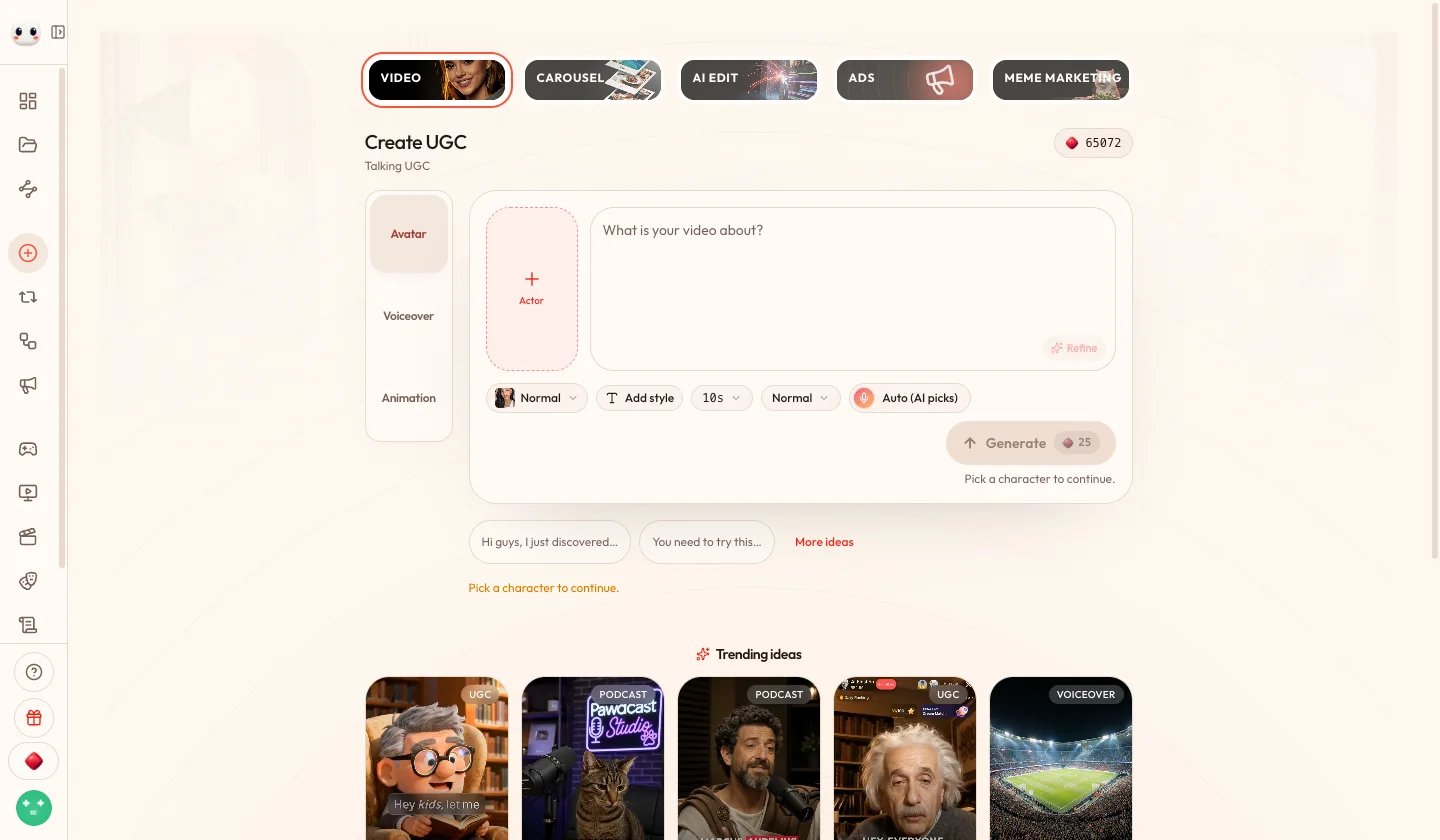
Quick Create: pick Video, then Avatar, for a talking video.
1
Open Quick Create
Click Quick Create, choose Video, then Avatar.
2
Pick a template
Normal is a person talking. Product puts your product in the video. BrainRot uses a split screen layout. Pick Demo layouts to show an app or screen next to the person.
3
Choose a character
Click Actor. Pick one of Your actors, or click Add an actor to upload or generate a new one.
4
Say what the video is about
Type the topic or paste your script. VidGuy writes or tightens the script and shows the price before you generate.
Before you post
- Does the first line make you want to hear the second?
- Would a real person say every sentence out loud?
- Is the product visible, with the right name and look?
- Is there exactly one ask at the end?
Where to do it in VidGuy
Quick Create
The Avatar mode for talking videos.
Dashboard chat
Ask VidGuy for hooks, scripts or a full video.
Marketing Studio
UGC templates you recreate with your product.